Your photo, your coloring page
Choose True to Photo, Storybook, Chibi or Digital Comic, then adjust line thickness, detail, contrast and background.
Use AI to turn a photo into a coloring outline, then color it by hand. Results vary with the photo; start with one clear subject and a simple background.
2 free AI conversions a day; internet required. Contains ads and optional conversion-ticket purchases. No ads inside the coloring screen.
v1.2.3
App Store listing · iOS 1.2.3 (54)
Official images attached to the English listing. We have not verified that they were captured from the attached build.
Sample page shown. The listing still contains earlier screens and does not show every interface change in 1.2.3.
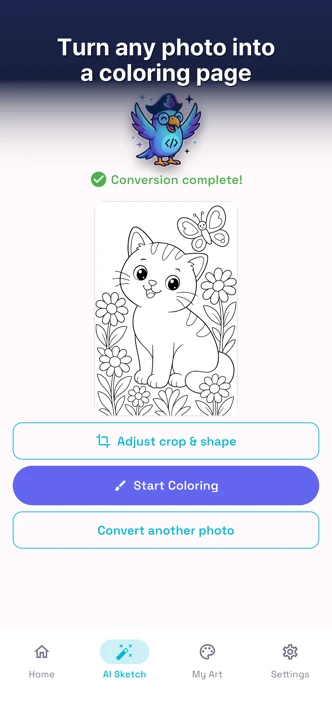
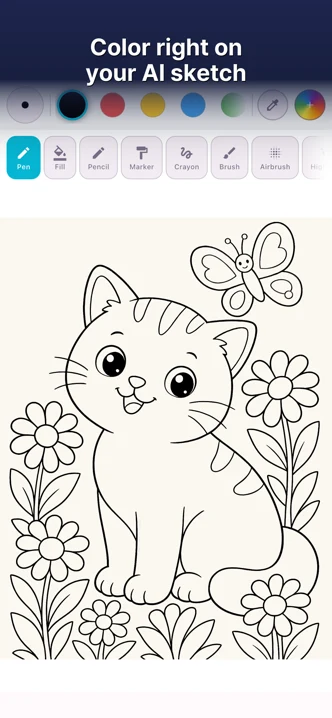
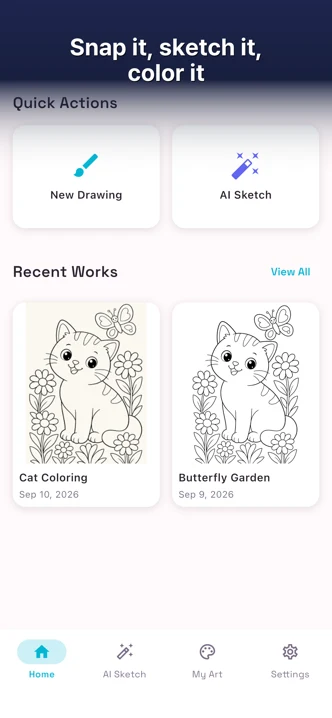
Choose True to Photo, Storybook, Chibi or Digital Comic, then adjust line thickness, detail, contrast and background.
Draw with pencil, marker, crayon, watercolor and more, or tap a closed area to fill it with color.
We never interrupt you with an ad while you are coloring.
Import a photo in its original colors and draw over it for free. This uses no AI conversion credits.
Before you start
Try one clear subject, a simple background, and room around the edges.
The full guide includes a printable A4 sheet for comparing two photos.
Free tips for any photo-to-outline tool. The checklist uses AI-made illustrations, not app conversion results.
Start with a favorite photo. Get 2 free AI conversions a day, with no sign-up.
All apps